Introduction to Bitget rToken Margin Trading
[Estimated Reading Time: 3 mins]
Bitget margin trading now officially supports spot stocks (rToken). This means you can use less capital to open larger positions, giving you greater flexibility to increase your exposure to U.S. spot stocks like rNVDA and rTSLA and amplify potential returns.
Previous pain points vs. the new solution
Previously, if you wanted to amplify potential returns on spot stocks like rNVDA and rTSLA, you generally had to sell your holdings for USDT and trade futures instead, or simply hold your spot positions and wait for prices to rise. The process was cumbersome and capital-inefficient, and selling your holdings could mean missing out on subsequent price gains and dividends.
Now that Bitget rToken supports margin trading, things are different. You can use eligible assets in your account as collateral, borrow funds through margin trading, and use them to buy rTokens. The system automatically handles the borrowing when you place an order, making the process much smoother.
Three core advantages
1. Higher capital efficiency
With up to 10x leverage, you can open larger positions with less capital, significantly improving capital efficiency.
2. No need to sell your holdings
rTokens can be used directly as margin, allowing you to retain your holdings and continue benefiting from potential U.S. stock price gains and dividends without having to sell them to access leverage.
3. Convenient automatic borrowing
The system automatically borrows the required funds when you place an order, with no manual borrowing required.
Get started in three simple steps
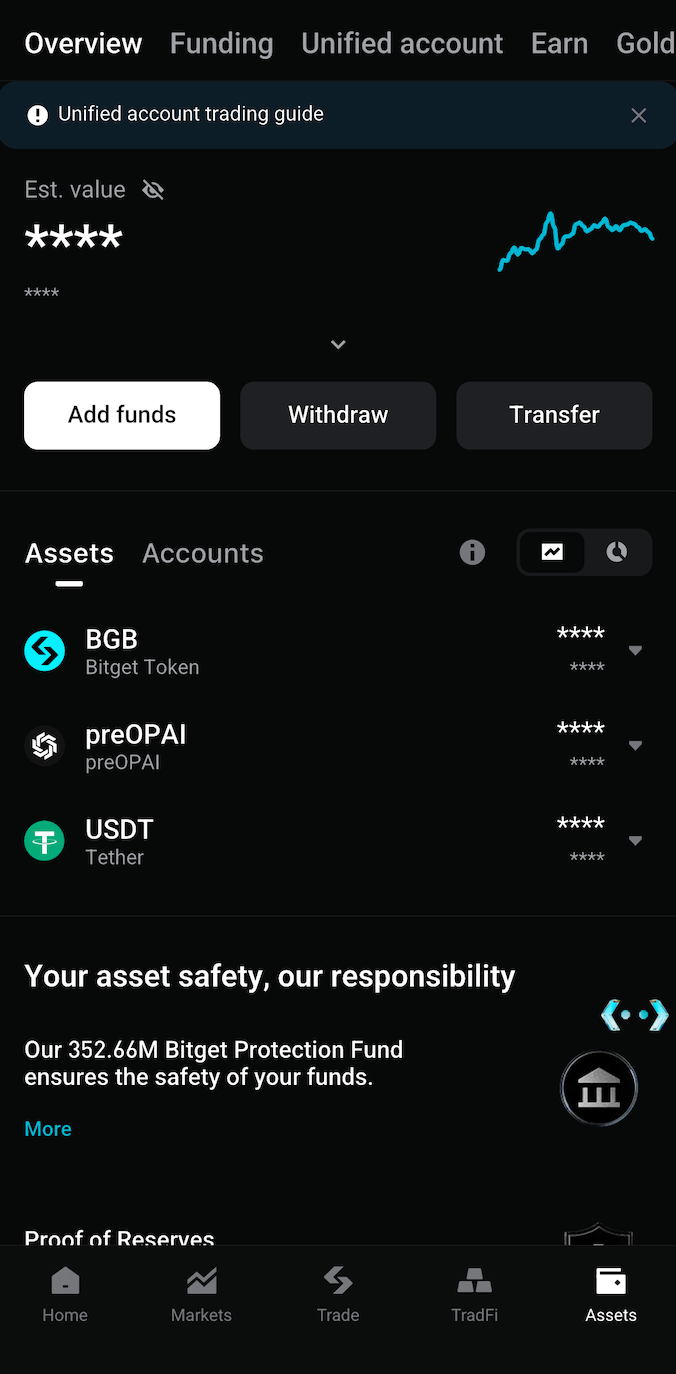
Step 1: Upgrade and switch modes
Select Assets at the bottom to open the Assets page, then select the banner at the top to upgrade to a unified trading account (UTA).
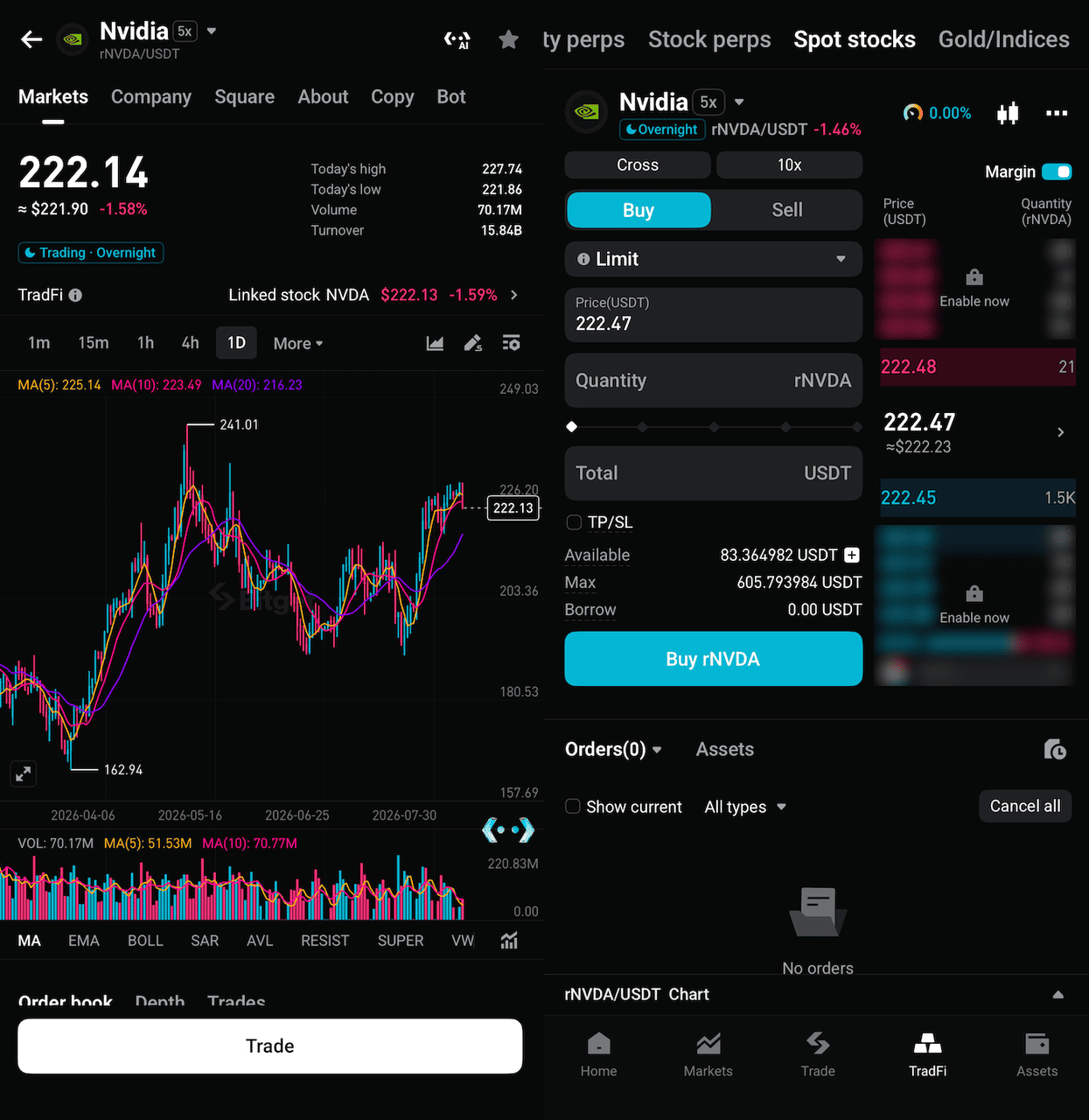
Step 2: Enable margin trading
Select TradFi at the bottom and switch to the spot stock page. Then select Margin in the top right corner to upgrade your account to Advanced mode.
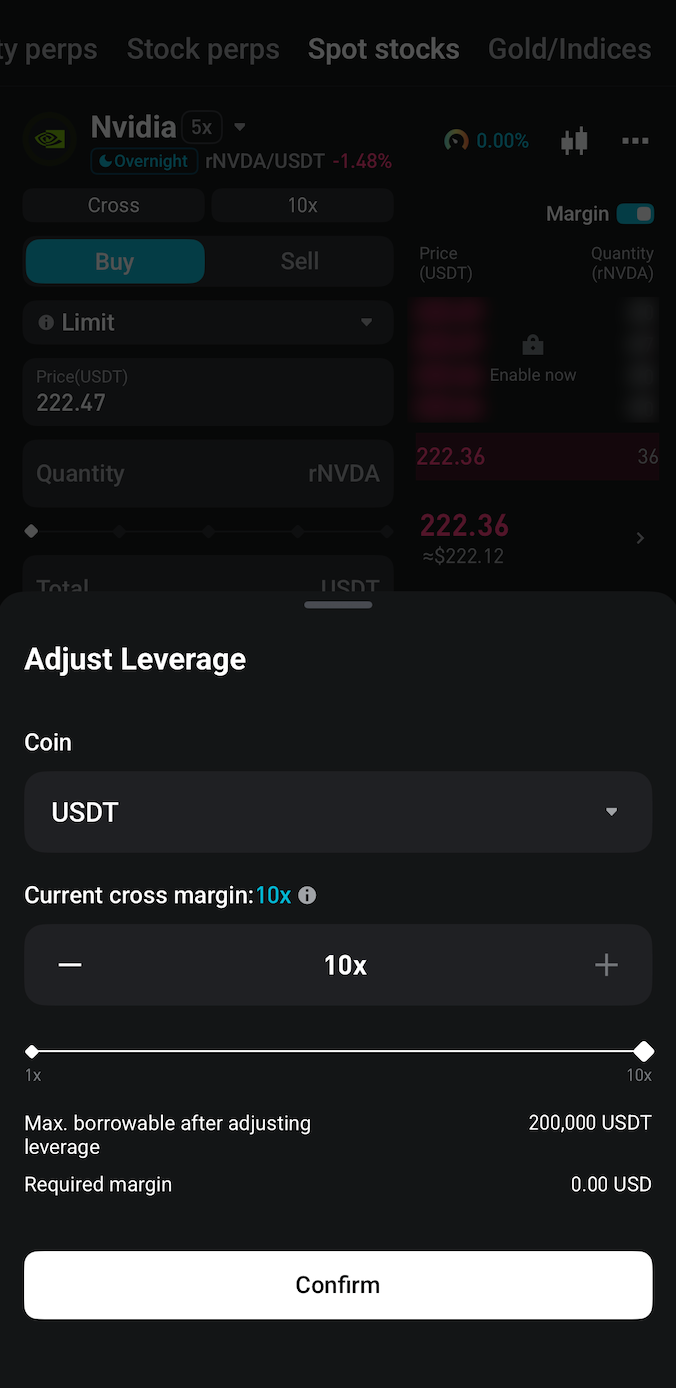
Step 3: Set your leverage and place your order
Select a supported rToken trading pair (e.g., rNVDA/USDT), choose your leverage, enable auto-borrow, enter the quantity, and place your order. The process is quick and straightforward, taking just a few steps to go from setup to trading.
FAQs
1. What is rToken?
Bitget rToken is a 1:1 token issued by Reality and pegged to the underlying stock asset. Users can directly trade U.S. stock-mapped assets with USDT and enjoy the same price movement returns and dividend distributions as traditional stocks.
2. What is the maximum leverage available for rToken margin trading?
You can use up to 10x leverage for supported rToken trading pairs.
3. Do I need to manually borrow funds before placing a margin order?
No. The system automatically handles the borrowing process when you place a margin order, provided you have enabled auto-borrow and have sufficient collateral.
4. Can I still receive dividends if I hold rTokens using margin?
Yes, since you retain ownership of the rTokens, you may still be eligible for dividends, subject to the specific terms of the asset and platform policies.
Join Bitget, the world's largest Universal Exchange (UEX)
Share